# Ten search providers. Can agents actually use their interfaces?
Hundreds of research trials across ten search providers revealed instruction conflicts and response-handling friction. We examine agent experience alongside completion, cost and time.
Published: 2026-10-06
By [Duc Ngo](https://www.linkedin.com/in/dwcngo)
We ran hundreds of research trials across ten search providers to see whether agents could use their tools to finish real jobs. We found conflicting instructions, search results that needed extra work to read, and errors the agent could recover from. Here’s what those interactions tell us about agent experience, alongside completion, cost and time.
A search provider gives an agent tools to find web pages and read their contents. But finding a page is only one step. The agent still has to understand the response, pull out the right evidence and turn it into the answer you asked for. We wanted to see how that whole process worked.
We used Intermesh, our platform for testing how well agents can use software tools, to give each provider the same research jobs. This article uses our October 6, 2026 results.
The [**full comparison**](https://reports.malmhq.com/evaluations/comparisons/search-research-suite-2026-10-04/results.html) includes the trial results behind this article, provider reports and public interaction logs.
## Workflow completion
Each provider was tested on seven multi-step research workflows across three agent apps, giving it 21 trials. These were full research assignments: agents had to find sources, gather supporting evidence and produce the requested analysis and files. A trial passed when the agent finished all the required parts of the job, including any calculations and rules about how to work.
Parallel passed 20 of 21 trials. Octen and Keenable followed with 19 each. That makes them useful starting points for developers choosing which interfaces to try.
The score shows how often an agent finished all the required parts of the job. A failed trial could still produce useful research while missing something the brief asked for.
Each trial represents nearly five percentage points of a provider’s completion score.
## How the evaluation works
We gave the agent a brief explaining the job and what to deliver, such as a research memo or a comparison table with sources. It used the assigned search provider, saved its work, and then went through automated checks and an agent self-review. We recorded the answer, tool requests and responses, text processed by the model, and time spent on the task. We call that saved interaction log a trace.
We tested three apps that run agents: Codex, Claude Code and OpenCode. They used Luna, Haiku and DeepSeek models respectively. The app manages the tools and files; the model decides what to do and writes the answer.
Providers offered command-line tools or MCP tools. A command-line tool accepts commands through a terminal. MCP lets an agent app call tools such as search or page retrieval directly. We also supplied official Skills where available: instruction files explaining how to use the provider’s tools.
The full set contains seven distinct jobs, ten providers and three apps: 210 trials. Each combination contributes one selected attempt. Where we retried a trial, the selected attempt replaces the earlier one in the comparison.
The results compare how each provider’s interface worked with these apps on the same jobs.
## What the interactions reveal
The scores tell us which jobs passed. The traces show what happened along the way. That distinction matters when deciding what to fix: confusing tool instructions, an agent’s mistake and a problem with reviewing its answer need different responses.
The following examples all come from one job: choose AI models for an assistant used by investment analysts. The agent had to compare capabilities, prices and published model tests, calculate the cost of a fixed workload, and recommend a setup. All three examples used Claude Code with Haiku 4.5, each with a different search provider.
### The instructions pointed in different directions
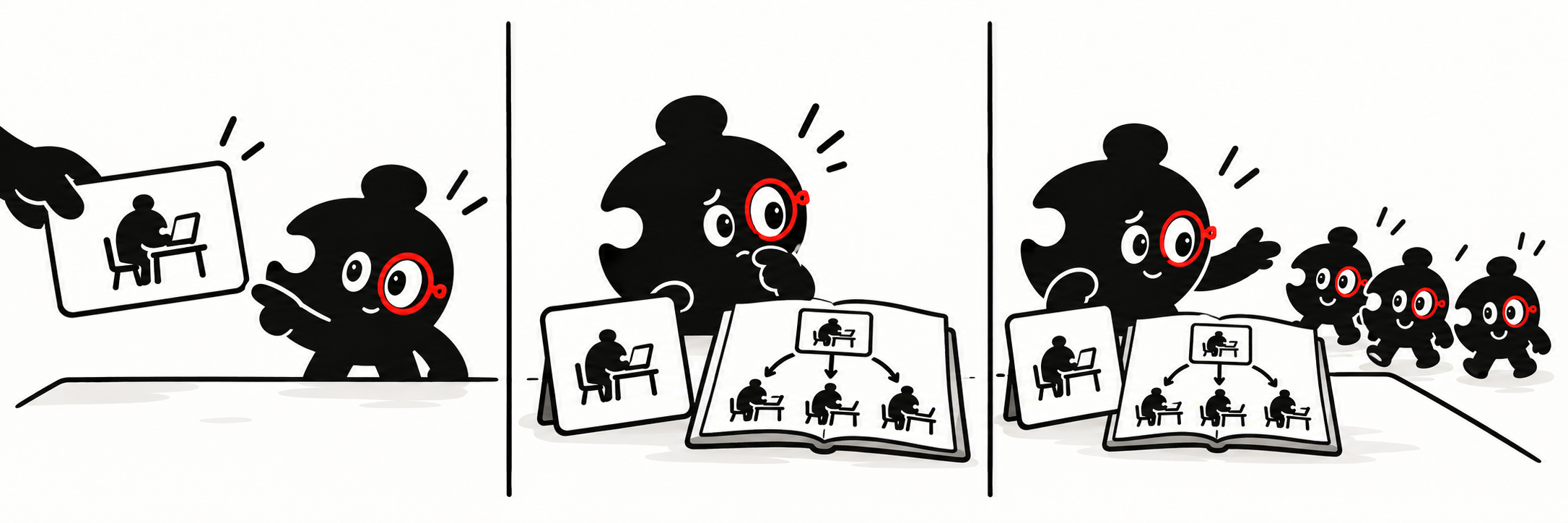 In the Exa trial, the job required one agent to do the research itself. It was allowed to search and read pages, but not to ask other agents to do parts of the work.
Exa’s supplied Skill recommended splitting complex research among several agents and combining their findings. After reading it, the agent launched other agents to research the models in parallel. In its review, it acknowledged breaking the single-agent rule. The trial failed that requirement.
There were two things to address here. The Skill recommended an approach that did not fit this job, and the agent followed it despite the task’s explicit restriction. For a Skill author, this is a reason to explain when delegation is optional and how to work without it. For the agent, the task’s restriction still needed to take priority. [See the Exa report](https://reports.malmhq.com/evaluations/exa-2026-10-04T151004081Z/report.html).
### The result arrived, but there was more work to read it
In the Exa trial, the job required one agent to do the research itself. It was allowed to search and read pages, but not to ask other agents to do parts of the work.
Exa’s supplied Skill recommended splitting complex research among several agents and combining their findings. After reading it, the agent launched other agents to research the models in parallel. In its review, it acknowledged breaking the single-agent rule. The trial failed that requirement.
There were two things to address here. The Skill recommended an approach that did not fit this job, and the agent followed it despite the task’s explicit restriction. For a Skill author, this is a reason to explain when delegation is optional and how to work without it. For the agent, the task’s restriction still needed to take priority. [See the Exa report](https://reports.malmhq.com/evaluations/exa-2026-10-04T151004081Z/report.html).
### The result arrived, but there was more work to read it
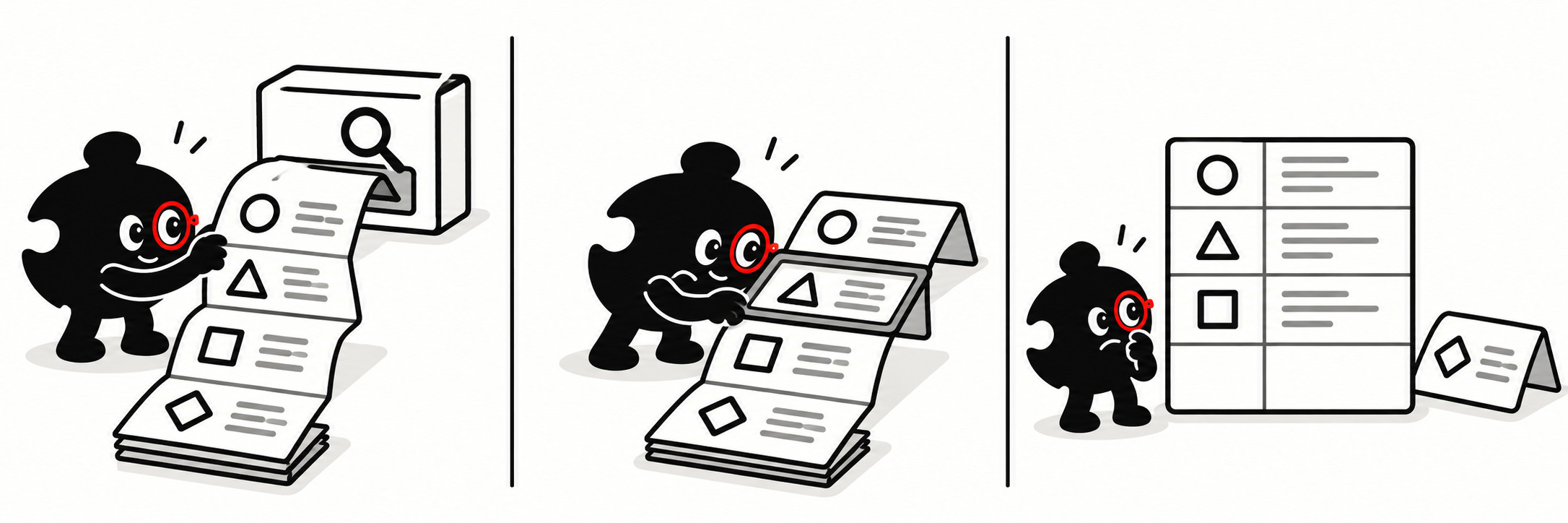 In the Linkup trial, the comparison had to cover four groups of models, including Google’s Gemini. The agent searched for documentation and pricing.
One response contained more than 232,000 characters. The agent app could not display it in full, so it saved the response to a file. Other results also appeared as short previews with links to files. The agent opened portions of those files to keep reading. It now had to navigate saved search results before it could use them in the answer.
The final comparison table left out Gemini. The agent’s self-review said it had retrieved Gemini information but had not included it in the requested files; the saved table confirms the omission. The agent also needed to choose the right model versions and check that all four groups were covered.
This is useful context for interface builders: check what happens to your response inside the agent app. Returning information is one step; making it easy to find and use is another. The [Linkup report](https://reports.malmhq.com/evaluations/linkup-2026-10-04T151004081Z/report.html) shows the provider response, the app saving it, and the agent reading it in portions.
### The agent recovered from a missing page
In the Linkup trial, the comparison had to cover four groups of models, including Google’s Gemini. The agent searched for documentation and pricing.
One response contained more than 232,000 characters. The agent app could not display it in full, so it saved the response to a file. Other results also appeared as short previews with links to files. The agent opened portions of those files to keep reading. It now had to navigate saved search results before it could use them in the answer.
The final comparison table left out Gemini. The agent’s self-review said it had retrieved Gemini information but had not included it in the requested files; the saved table confirms the omission. The agent also needed to choose the right model versions and check that all four groups were covered.
This is useful context for interface builders: check what happens to your response inside the agent app. Returning information is one step; making it easy to find and use is another. The [Linkup report](https://reports.malmhq.com/evaluations/linkup-2026-10-04T151004081Z/report.html) shows the provider response, the app saving it, and the agent reading it in portions.
### The agent recovered from a missing page
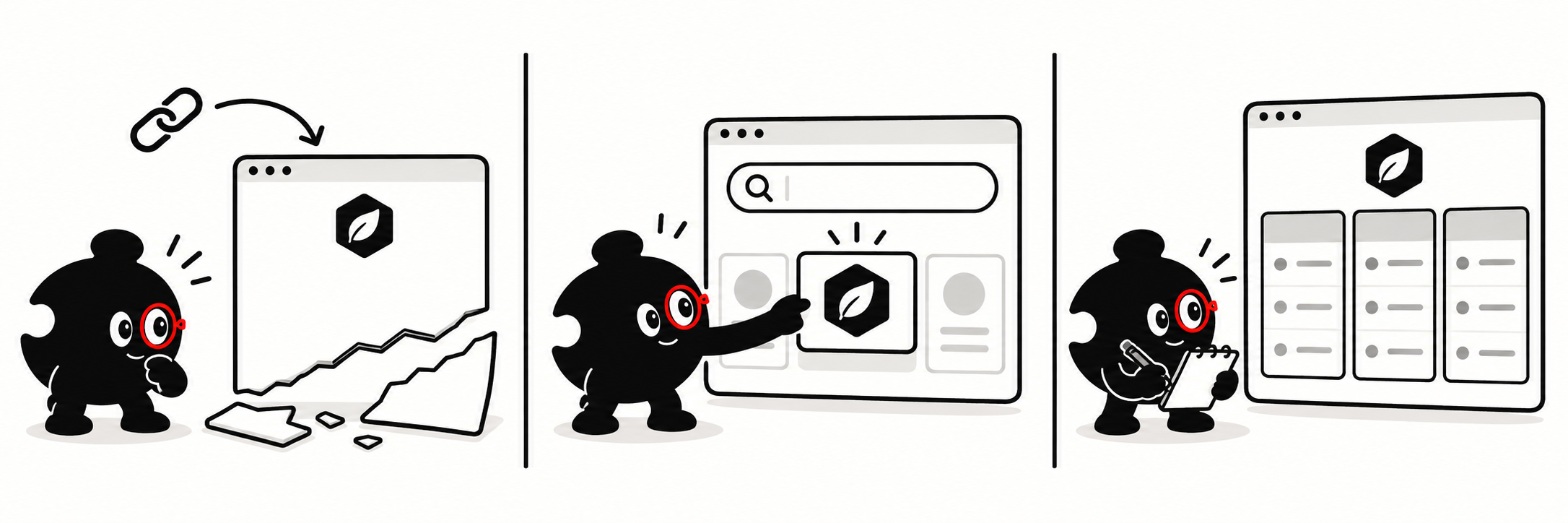 In the Tavily trial, the agent needed Anthropic’s model prices to calculate costs. It tried to read a pricing page through Tavily’s command-line tool.
The tool returned a “404 page not found” error for that URL. The agent then searched within Anthropic’s website, found a documentation page and retrieved it successfully. It followed up with a more specific pricing search.
Tavily’s Skill explained how to limit a search to a particular website and recommended doing so for trusted sources. The agent read those instructions and later used that option. The trace shows both the guidance it read and the recovery steps it took.
The trial still failed because its review found incorrect cost calculations in the recommendation. It had recovered the pricing information, then made an arithmetic mistake. Improving page retrieval would not resolve that calculation error. [See the Tavily report](https://reports.malmhq.com/evaluations/tavily-2026-10-04T151004081Z/report.html).
These examples give us concrete questions to ask about agent experience. Do the instructions fit the job? Can the agent read and use the response? When something fails, can it find a useful next step?
## Seven research workflows
We chose jobs that required different kinds of research. Choosing a model meant comparing documentation, prices and published tests. Company research meant checking what a business had actually disclosed. News research meant distinguishing when an event happened from when an article was published. Sales research meant finding companies that matched a stated customer profile.
The cards below show each job and the evidence it required.
Across all providers and apps, the model-selection job passed in 17 of 30 trials. Researching Cerebras, an AI chip company, passed in 29 of 30. That gap shows why it helps to look at a job similar to yours. The individual reports show which requirements passed and which needed more work.
## Cost per trial: search and model
There are two parts to the cost. The model processes text and writes the answer. The search provider charges for operations such as searches and reading web pages. We add both to get total cost per trial, using recorded usage and provider rates. Discounts or account credits can change the amount actually paid. Missing costs show as “Not collected.”
Parallel averaged about $0.246 per trial: $0.180 for the model and $0.066 for search operations. Tavily averaged about $0.393: $0.176 for the model and $0.217 for search operations. Their model costs were close; the larger difference came from search operations. Parallel also passed more trials in this set.
These costs describe the operations the agents used on our jobs. Tavily’s search costs were matched to billing records; Parallel’s were calculated from usage returned by its tools and the applicable rates. The full comparison links to the cost data. A different job or set of tool requests could produce different costs.
## Time per trial
This is the time spent on the whole research attempt, including the model’s work and waits for tools. It is the wait for an answer, rather than the response time of the search API alone.
Brave and Firecrawl both passed 18 of 21 trials. Brave’s average task time was 6.1 minutes; Firecrawl’s was 12.6 minutes. That is a useful difference for someone waiting for a result.
The next chart combines completion and time. Higher points mean more trials passed; points further left mean less time spent per trial. The upper-left area is a useful place to start looking for a setup to try.
## Comparison details
Tokens are the small pieces of text a model processes or produces. They help describe how much model work a task used. Exa and Tavily both passed 17 of 21 trials, but averaged 1.75 million and 2.54 million task tokens respectively. Those totals include text processed again over multiple steps, including reused input. They do not mean the agent read that much unique web content.
Tool calls count requests made through the interface. They can include discovering tools, retrying after errors, searching and reading pages. Fewer calls can mean less work, but you still need to check whether the answer contains the required evidence.
The charts’ data tables show exact values. Time, tokens and cost are averaged across the selected attempts, including failed ones. Earlier replaced attempts and the separate review phase are excluded. Read these measures together with completion and the saved work.
## Explore the results
The [**full comparison**](https://reports.malmhq.com/evaluations/comparisons/search-research-suite-2026-10-04/results.html) includes the trial results behind this article, provider reports and public interaction logs.
If you are choosing a provider, start with a job your agent needs to do. Check whether the answer includes the evidence you need, then compare the time, cost and work involved. If you are building an interface, follow the agent’s next action in the log. That is where you can see an instruction it misunderstood, a response it struggled to read or an error it could not work around.
In the Tavily trial, the agent needed Anthropic’s model prices to calculate costs. It tried to read a pricing page through Tavily’s command-line tool.
The tool returned a “404 page not found” error for that URL. The agent then searched within Anthropic’s website, found a documentation page and retrieved it successfully. It followed up with a more specific pricing search.
Tavily’s Skill explained how to limit a search to a particular website and recommended doing so for trusted sources. The agent read those instructions and later used that option. The trace shows both the guidance it read and the recovery steps it took.
The trial still failed because its review found incorrect cost calculations in the recommendation. It had recovered the pricing information, then made an arithmetic mistake. Improving page retrieval would not resolve that calculation error. [See the Tavily report](https://reports.malmhq.com/evaluations/tavily-2026-10-04T151004081Z/report.html).
These examples give us concrete questions to ask about agent experience. Do the instructions fit the job? Can the agent read and use the response? When something fails, can it find a useful next step?
## Seven research workflows
We chose jobs that required different kinds of research. Choosing a model meant comparing documentation, prices and published tests. Company research meant checking what a business had actually disclosed. News research meant distinguishing when an event happened from when an article was published. Sales research meant finding companies that matched a stated customer profile.
The cards below show each job and the evidence it required.
Across all providers and apps, the model-selection job passed in 17 of 30 trials. Researching Cerebras, an AI chip company, passed in 29 of 30. That gap shows why it helps to look at a job similar to yours. The individual reports show which requirements passed and which needed more work.
## Cost per trial: search and model
There are two parts to the cost. The model processes text and writes the answer. The search provider charges for operations such as searches and reading web pages. We add both to get total cost per trial, using recorded usage and provider rates. Discounts or account credits can change the amount actually paid. Missing costs show as “Not collected.”
Parallel averaged about $0.246 per trial: $0.180 for the model and $0.066 for search operations. Tavily averaged about $0.393: $0.176 for the model and $0.217 for search operations. Their model costs were close; the larger difference came from search operations. Parallel also passed more trials in this set.
These costs describe the operations the agents used on our jobs. Tavily’s search costs were matched to billing records; Parallel’s were calculated from usage returned by its tools and the applicable rates. The full comparison links to the cost data. A different job or set of tool requests could produce different costs.
## Time per trial
This is the time spent on the whole research attempt, including the model’s work and waits for tools. It is the wait for an answer, rather than the response time of the search API alone.
Brave and Firecrawl both passed 18 of 21 trials. Brave’s average task time was 6.1 minutes; Firecrawl’s was 12.6 minutes. That is a useful difference for someone waiting for a result.
The next chart combines completion and time. Higher points mean more trials passed; points further left mean less time spent per trial. The upper-left area is a useful place to start looking for a setup to try.
## Comparison details
Tokens are the small pieces of text a model processes or produces. They help describe how much model work a task used. Exa and Tavily both passed 17 of 21 trials, but averaged 1.75 million and 2.54 million task tokens respectively. Those totals include text processed again over multiple steps, including reused input. They do not mean the agent read that much unique web content.
Tool calls count requests made through the interface. They can include discovering tools, retrying after errors, searching and reading pages. Fewer calls can mean less work, but you still need to check whether the answer contains the required evidence.
The charts’ data tables show exact values. Time, tokens and cost are averaged across the selected attempts, including failed ones. Earlier replaced attempts and the separate review phase are excluded. Read these measures together with completion and the saved work.
## Explore the results
The [**full comparison**](https://reports.malmhq.com/evaluations/comparisons/search-research-suite-2026-10-04/results.html) includes the trial results behind this article, provider reports and public interaction logs.
If you are choosing a provider, start with a job your agent needs to do. Check whether the answer includes the evidence you need, then compare the time, cost and work involved. If you are building an interface, follow the agent’s next action in the log. That is where you can see an instruction it misunderstood, a response it struggled to read or an error it could not work around.